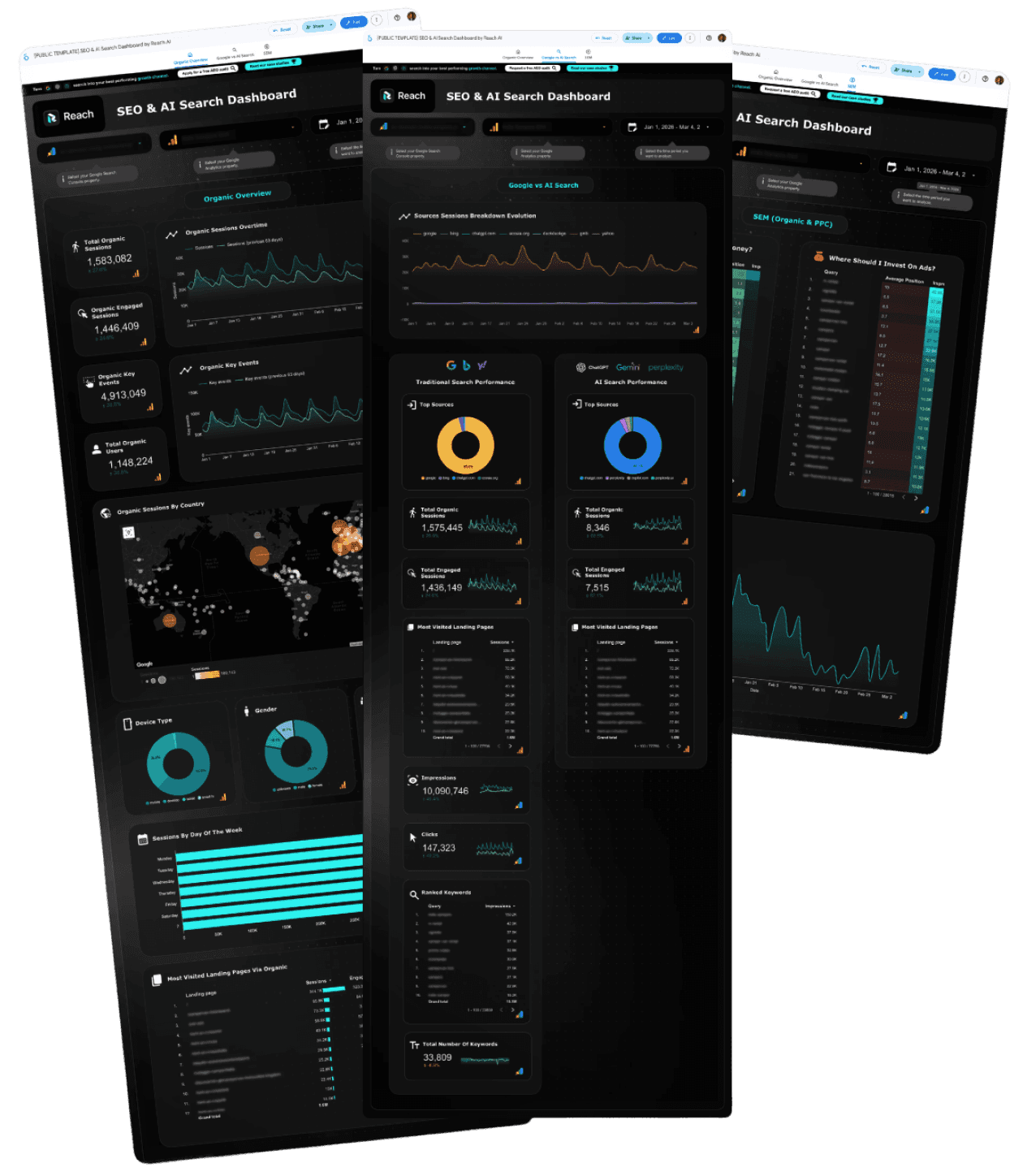
Find your wasted ad spend. Track your AI search traffic.
Cut Down Expenses
Surfaces keywords where you rank top 3 but still pay for ads. Cut them tomorrow.
Discover Traffic from AI
Breaks down traffic from ChatGPT, Gemini, and 10+ others buried in your GA4.
Free Looker Studio template
Connects to GA4 + Search Console in 2 minutes.
Leading GTM teams trust Reach to turn SEO & AI search into compounding growth channels
What happens when you act on this data
Signed contracts from organic + AI search in one month
ColdIQ, 4 months
AI search revenue growth, year over year
Indie Campers, 5 months
Organic traffic growth. SEO + AI search became the #1 source
ColdIQ, 4 months

CUSTOMER TESTIMONIALS
Trusted by Industry Leaders
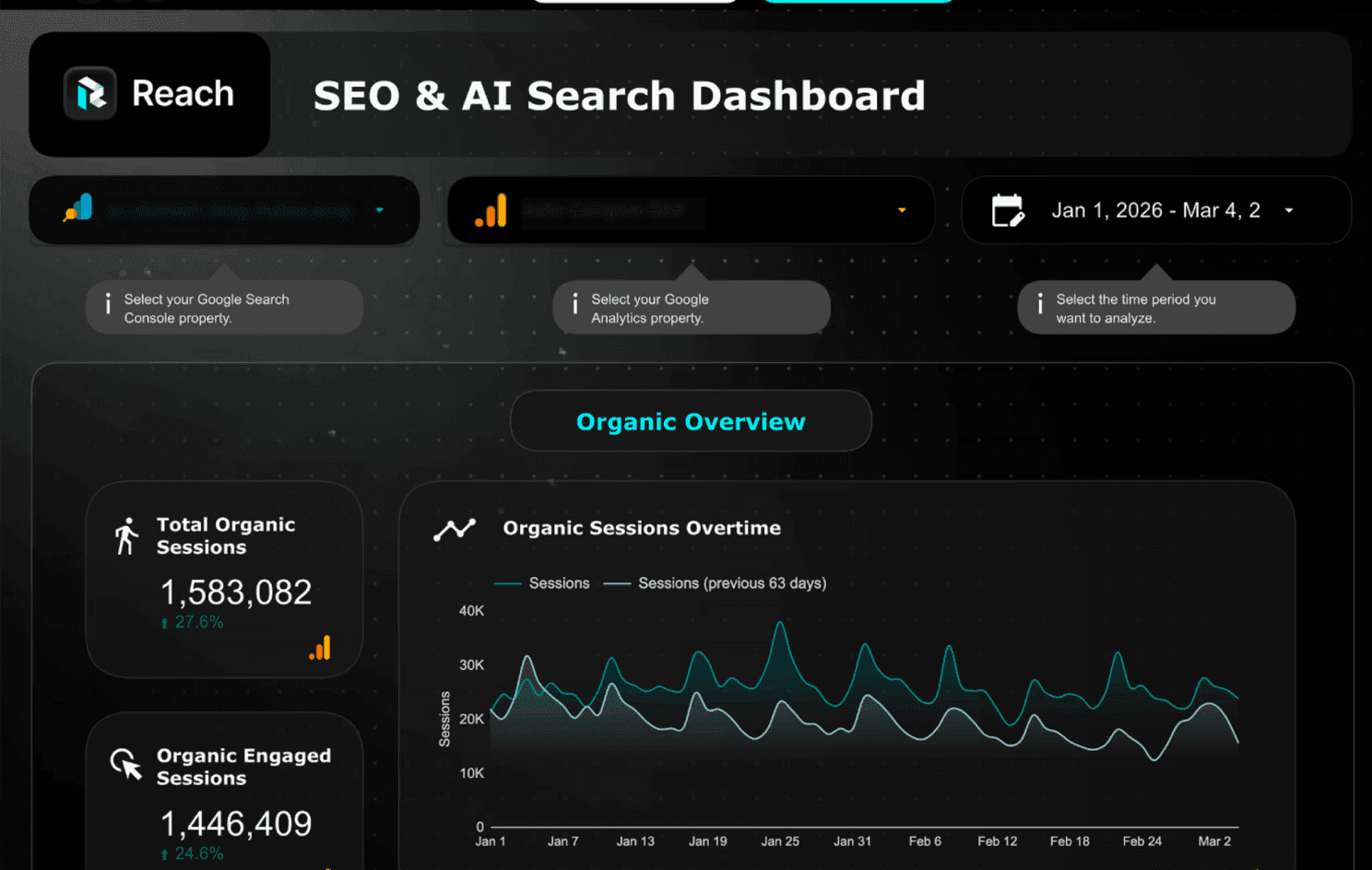
Organic Overview
The organic report you rebuild every Monday
Sessions, engagement, conversions, demographics, top landing pages. All in one view, always current. Stop switching between GA4 tabs.
Organic sessions and engagement with period-over-period comparison
Key events and conversion tracking
Sessions by country with interactive map
Device, gender, and age breakdowns
Top landing pages by sessions, users, and bounce rate


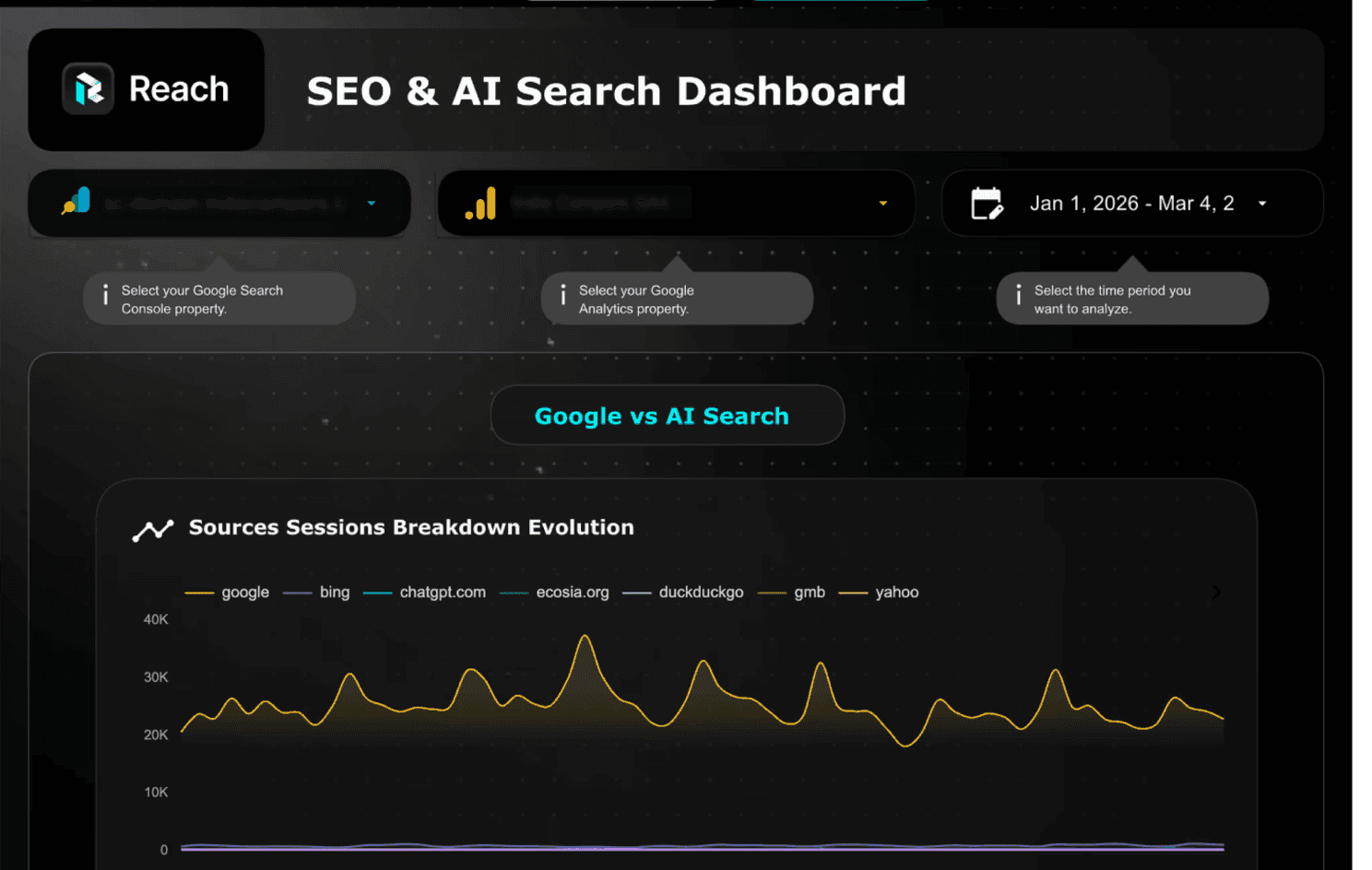
Google vs AI Search
AI search traffic is growing. GA4 doesn't track it.
GA4 buries ChatGPT, Perplexity, and Gemini inside your referral reports with no way to filter or compare them. This tab pulls every AI source out and breaks them down by sessions, engagement, and landing pages.
Source-by-source evolution: Google, Bing, ChatGPT, Perplexity, Gemini, and more
Traditional vs AI search sessions and engagement, side by side
Which of your pages AI search is sending traffic to
Impressions, clicks, and ranked keywords from Search Console
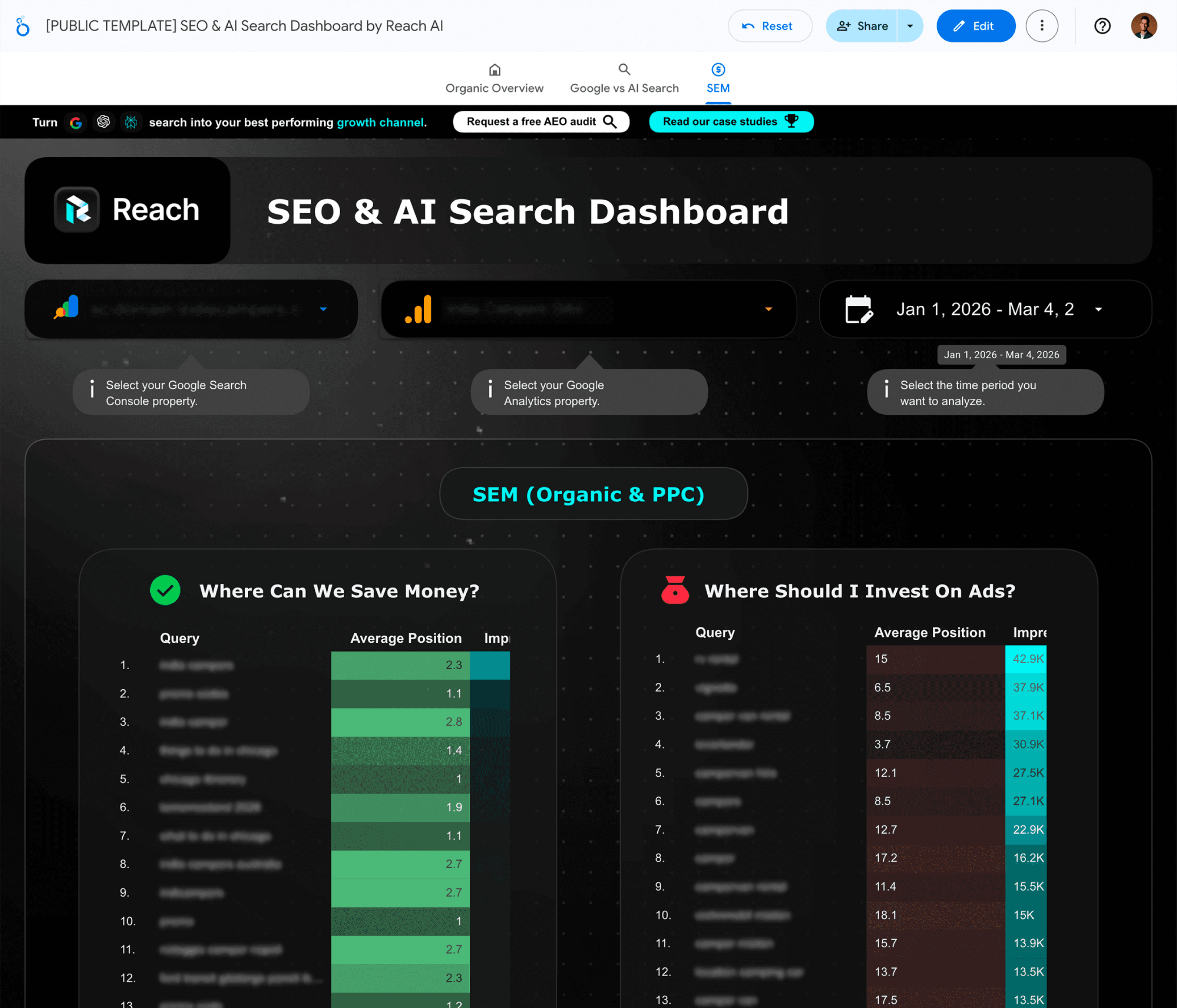
SEM (Organic & PPC)
Find the exact keywords you're overpaying for
Two tables. One shows keywords where you rank top 3 but still pay for ads. The other shows where ads actually make sense because you don't rank yet.
"Where can we save money?" - keywords you rank for organically. Cut these ads.
"Where should I invest?" - high impressions, low organic rank. Pay here.
Average position evolution over time
Full keyword list with position, impressions, and click data

Frequently Asked Questions
How do I track ChatGPT, Perplexity, and Gemini traffic in Google Analytics?
GA4 shows AI search traffic as referral visits, but it buries them alongside every other referral source with no way to filter or compare. You would need to manually create custom channel groups or regex filters for each AI domain (chatgpt.com, perplexity.ai, gemini.google.com, copilot.microsoft.com, etc.). This dashboard does it automatically. The Google vs AI Search tab pulls every known AI referral source out of your GA4 data and shows sessions, engagement, and top landing pages for each one, side by side with your traditional search traffic.
How do I find keywords where I'm paying for ads but already rank organically?
The SEM tab cross-references your Google Search Console ranking data with your paid keyword targets. The "Where Can We Save Money?" table shows keywords where you rank in the top 3 organically but still run ads. These are candidates you can pause immediately. The "Where Should I Invest On Ads?" table shows the opposite: high-impression keywords where you don't rank well organically, making them better candidates for ad spend.
How does AI search traffic actually show up in GA4?
When someone clicks a link in ChatGPT, Perplexity, or Gemini, it appears in GA4 as referral traffic from the AI tool's domain (e.g., chatgpt.com, perplexity.ai). The problem is GA4 groups these with all other referral traffic and has no built-in "AI search" channel. Some mobile AI apps also strip the referrer header, which means those visits get misattributed as direct traffic. This dashboard filters your referral data by 10+ known AI domains so you can see the full picture in one view.
How is this different from other free Looker Studio SEO templates?
Most free Looker Studio SEO templates show standard GA4 and Search Console metrics: sessions, clicks, impressions, rankings. This dashboard adds two things none of them include. First, AI search traffic tracking: a dedicated tab that separates ChatGPT, Perplexity, Gemini, and other AI referral sources from your regular traffic. Second, SEM overlap analysis: tables that show exactly which keywords you're wasting ad budget on because you already rank organically, and which ones deserve paid investment.
How much traffic do websites actually get from AI search tools?
It varies widely by industry and content type. B2B companies with strong help center and educational content tend to see the most AI search referrals. Some of our clients see thousands of monthly sessions from AI tools, others see a few hundred. The important thing is that the number is growing fast, and most companies have no visibility into it at all. This dashboard lets you see exactly where you stand so you can decide whether to invest in AI search optimization.
How do I connect my GA4 and Search Console to the dashboard?
After you get the template link, click "Use Template" in Looker Studio. It will ask you to select your GA4 property and Search Console property from dropdown menus (you need view access to both). Click "Copy Report" and the dashboard populates automatically with your data. The whole process takes about 2 minutes. No code, no API keys, no technical setup required.
Can I use this dashboard to report to my team or CMO?
Yes. Once copied, you can share the Looker Studio report with anyone in your organization using their Google email. You can also schedule automated email reports (daily, weekly, or monthly) directly from Looker Studio. The Organic Overview tab is designed as an executive-ready view: sessions, engagement, conversions, top landing pages, and demographic breakdowns, all on one page.